# pfUI
An AddOn for World of Warcraft: Vanilla (1.12.1) and The Burning Crusade (2.4.3), which aims to be a full replacement for the original interface. The design is inspired by several screenshots I've seen from TukUI, ElvUI and others. This addon delivers modern features and a minimalistic style that's easy to use right from the start. It is entirely written from scratch without any inclusion of third-party addons or libraries.
This is **not** an addon-pack like [ShaguUI](http://shagu.org/ShaguUI/), however, there is support for external addons like MobHealth3, DPSMate and others, but they will never be shipped within the package.
**Please do not re-upload or distribute outdated versions of this project. However, you are more than welcome to fork or link to the official github page.**
## Screenshots
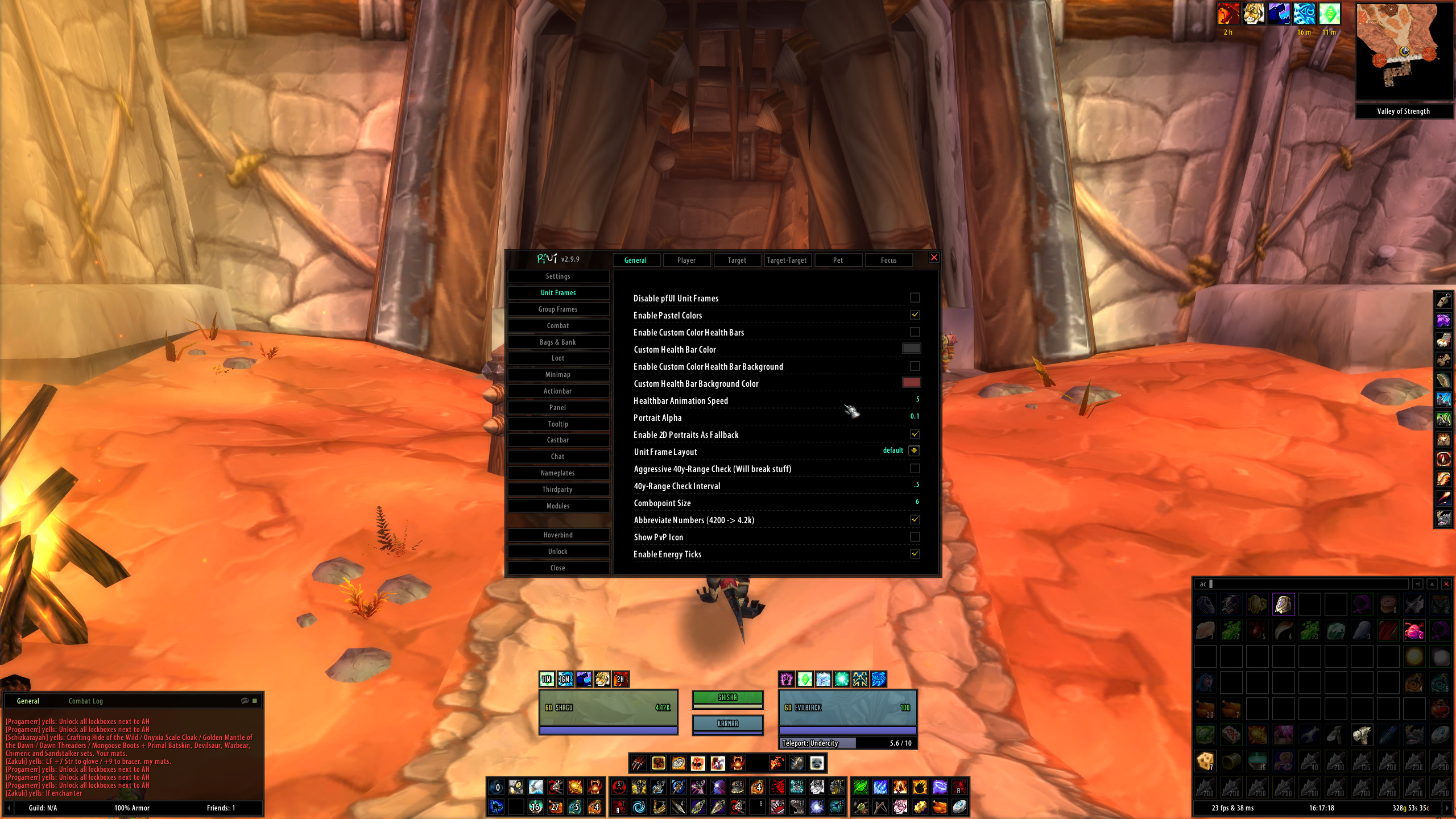
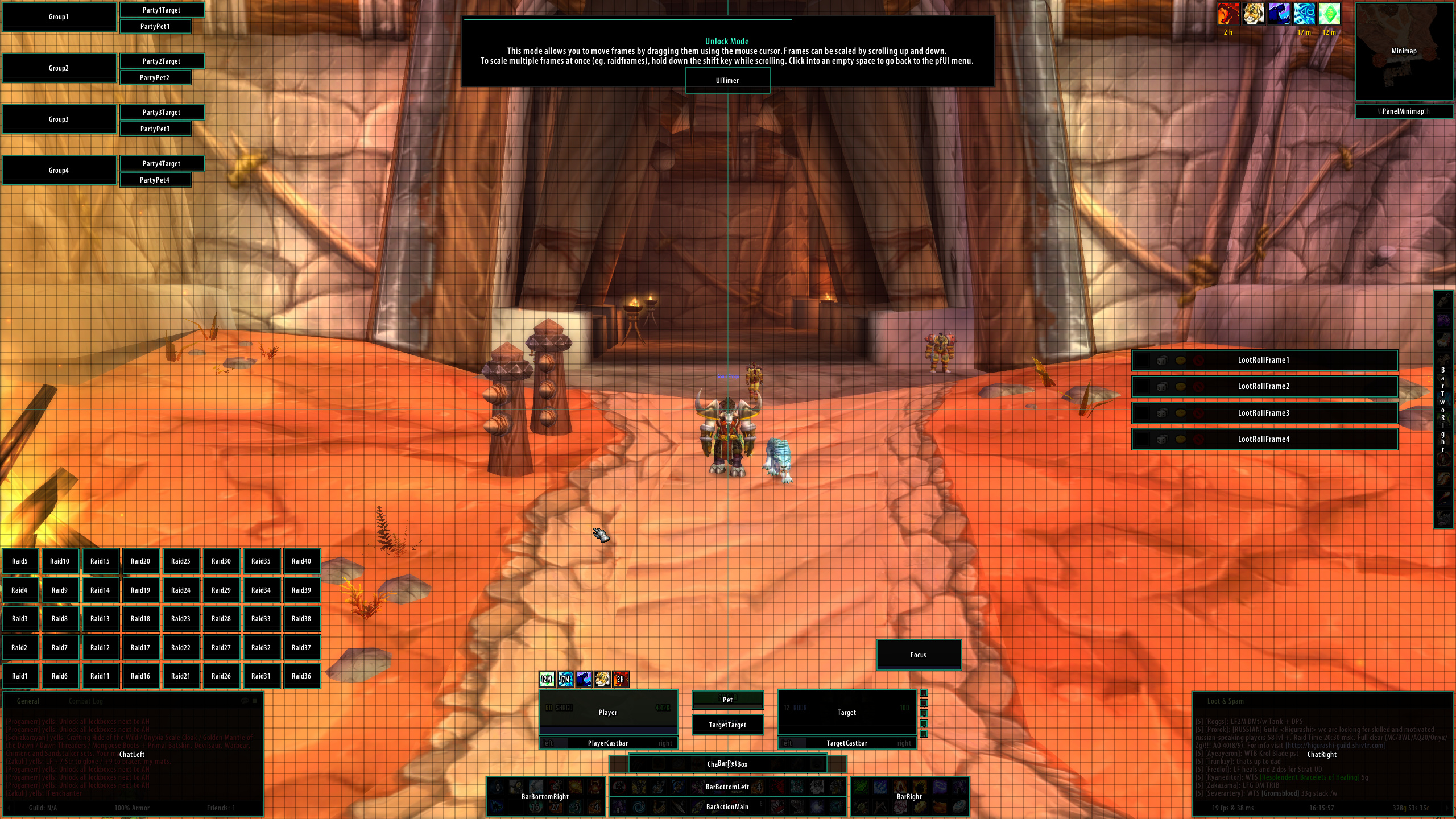
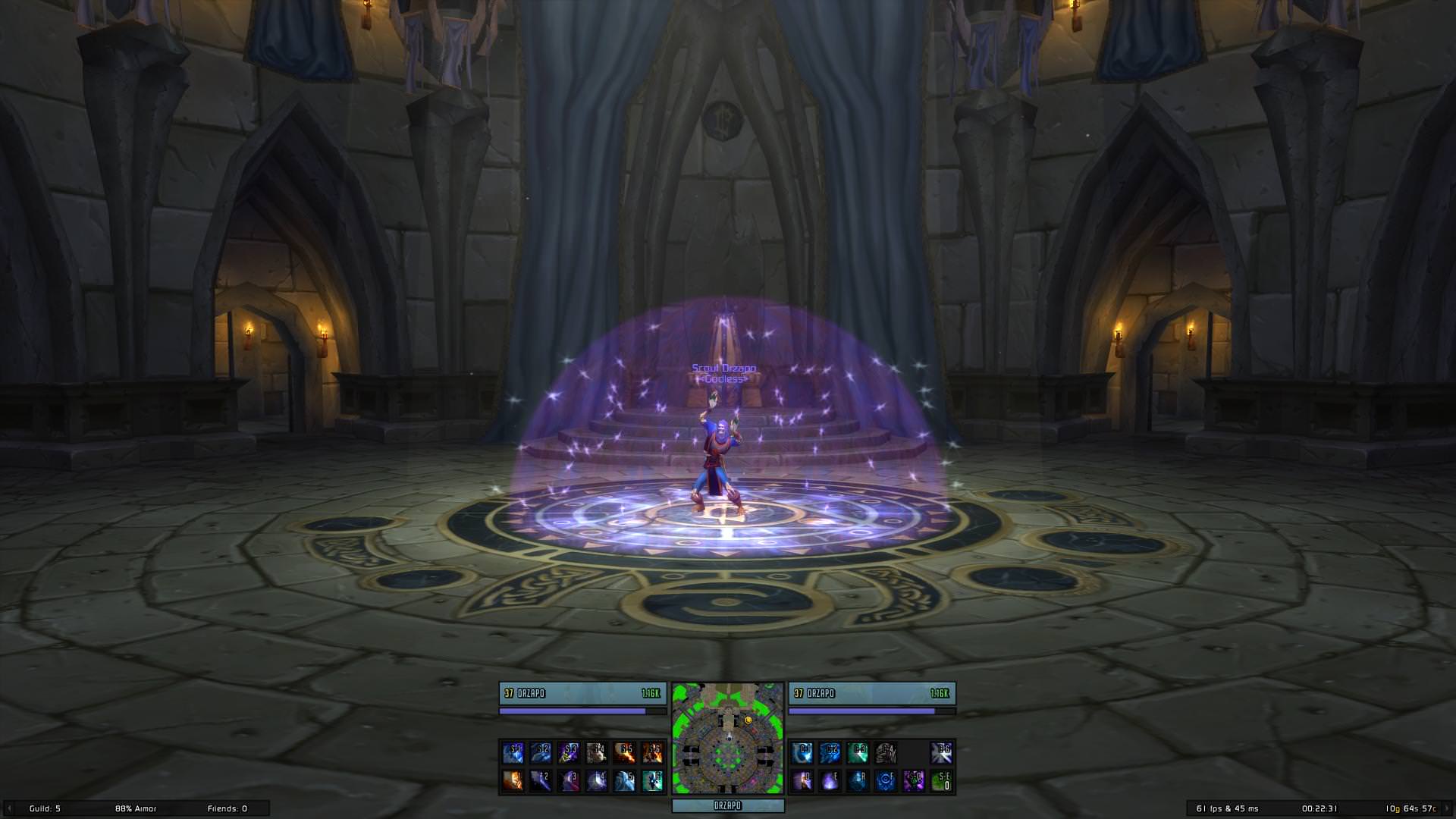
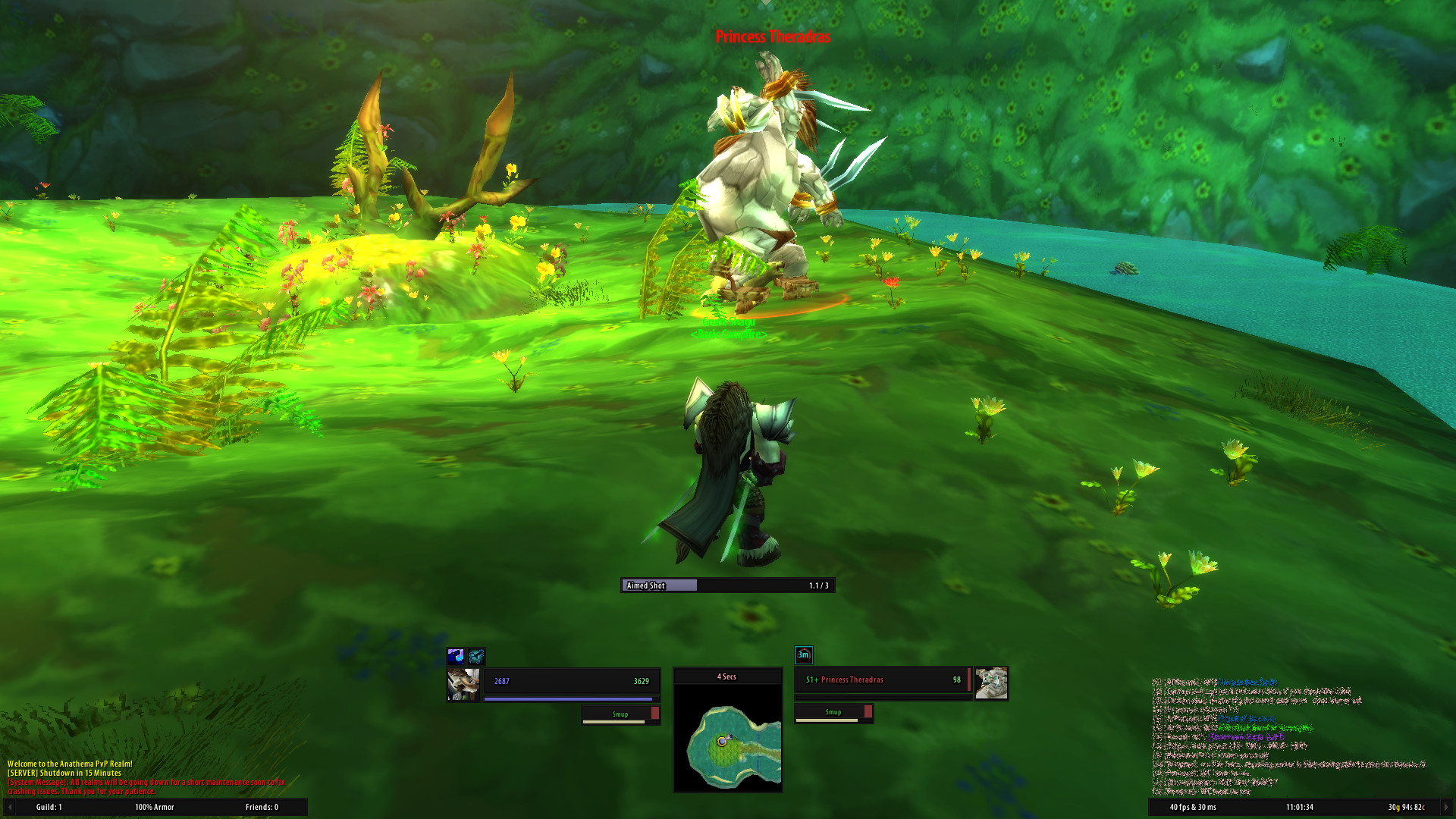 ## Installation (Vanilla)
1. Download **[Latest Version](https://github.com/shagu/pfUI/archive/master.zip)**
2. Unpack the Zip file
3. Rename the folder "pfUI-master" to "pfUI"
4. Copy "pfUI" into Wow-Directory\Interface\AddOns
5. Restart Wow
## Installation (The Burning Crusade)
1. Download **[Latest Version](https://github.com/shagu/pfUI/archive/master.zip)**
2. Unpack the Zip file
3. Rename the folder "pfUI-master" to "pfUI-tbc"
4. Copy "pfUI-tbc" into Wow-Directory\Interface\AddOns
5. Restart Wow
## Commands
/pfui Open the configuration GUI
/share Open the configuration import/export dialog
/gm Open the ticket Dialog
/rl Reload the whole UI
/farm Toggles the Farm-Mode
/pfcast Same as /cast but for mouseover units
/focus Creates a Focus-Frame for the current target
/castfocus Same as /cast but for focus frame
/clearfocus Clears the Focus-Frame
/swapfocus Toggle Focus and Target-Frame
/pftest Toggle pfUI Unitframe Test Mode
/abp Addon Button Panel
## Languages
pfUI supports and contains language specific code for the following gameclients.
* English (enUS)
* Korean (koKR)
* French (frFR)
* German (deDE)
* Chinese (zhCN)
* Spanish (esES)
* Russian (ruRU)
## Recommended Addons
* [pfQuest](https://shagu.org/pfQuest) A simple database and quest helper
* [WIM](http://addons.us.to/addon/wim), [WIM (continued)](https://github.com/shirsig/WIM) Give whispers an instant messenger feel
## Plugins
* [pfUI-eliteoverlay](https://shagu.org/pfUI-eliteoverlay) Add elite dragons to unitframes
* [pfUI-fonts](https://shagu.org/pfUI-fonts) Additional fonts for pfUI
* [pfUI-CustomMedia](https://github.com/mrrosh/pfUI-CustomMedia) Additional textures for pfUI
* [pfUI-Gryphons](https://github.com/mrrosh/pfUI-Gryphons) Add back the gryphons to your actionbars
## FAQ
**What does "pfUI" stand for?**
The term "*pfui!*" is german and simply stands for "*pooh!*", because I'm not a
big fan of creating configuration UI's, especially not via the Wow-API
(you might have noticed that in ShaguUI).
**How can I donate?**
You can donate via [GitHub](https://github.com/sponsors/shagu) or [Ko-fi](https://ko-fi.com/shagu)
**How do I report a Bug?**
Please provide as much information as possible in the [Bugtracker](https://github.com/shagu/pfUI/issues).
If there is an error message, provide the full content of it. Just telling that "there is an error" won't help any of us.
Please consider adding additional information such as: since when did you got the error,
does it still happen using a clean configuration, what other addons are loaded and which version you're running.
When playing with a non-english client, the language might be relevant too. If possible, explain how people can reproduce the issue.
**How can I contribute?**
Report errors and issues in the [Bugtracker](https://github.com/shagu/pfUI/issues).
Please make sure to have the latest version installed and check for conflicting addons beforehand.
**I have bad performance, what can I do?**
There's only one known performance issue: that is while using "Frame Shadows". Make sure to disable those
in the pfUI settings (Settings -> Appearance -> Enable Frame Shadows). If you still have a low performance,
it's most likely a combination with another addon. Disable all AddOns but pfUI and then enable one-by-one,
till the performance problem occurs again. Make sure to report the identified AddOn and what you did to reproduce
via the [Bugtracker](https://github.com/shagu/pfUI/issues).
**Where is the happiness indicator for pets?**
The pet happiness is shown as the color of your pet's frame. Depending on your skin, this can either be the text or the background color of your pet's healthbar:
- Green = Happy
- Yellow = Content
- Red = Unhappy
Since version 4.0.7 there is also an additional icon that can be enabled from the pet unit frame options.
**Can I use Clique with pfUI?**
This addon already includes support for clickcasting. If you still want to make use of clique, all pfUI's unitframes are already compatible to Clique-TBC. For Vanilla, a pfUI compatible version can be found [Here](https://github.com/shagu/Clique/archive/master.zip). If you want to keep your current version of Clique, you'll have to apply this [Patch](https://github.com/shagu/Clique/commit/a5ee56c3f803afbdda07bae9cd330e0d4a75d75a).
**Where is the Experience Bar?**
The experience bar shows up on mouseover and whenever you gain experience, next to left chatframe by default. There's also an option to make it stay visible all the time.
**How do I show the Damage- and Threatmeter Dock?**
If you enabled the "dock"-feature for your external (third-party) meters such as DPSMate or KTM, then you'll be able to toggle between them and the Right Chat by clicking on the ">" symbol on the bottom-right panel.
**Why is my chat always resetting to only 3 lines of text?**
This happens if "Simple Chat" is enabled in blizzards interface settings (Advanced Options).
Paste the following command into your chat to disable that option: `/run SIMPLE_CHAT="0"; pfUI.chat.SetupPositions(); ReloadUI()`
**How can I enable mouseover cast?**
On Vanilla, create a macro with "/pfcast SPELLNAME". If you also want to see the cooldown, You might want to add "/run if nil then CastSpellByName("SPELLNAME") end" on top of the macro. For The Burning Crusade, just use the regular mouseover macros.
**Will there be pfUI for Activision's "Classic" remakes?**
No, it would require an entire rewrite of the AddOn since the game is now a different one. The AddOn-API has evolved during the last 15 years and the new "Classic" versions are based on a current retail gameclient. I don't plan to play any of those new versions, so I won't be porting any of my addons to it.
**Everything from scratch?! Are you insane?**
Most probably, yes.
## Installation (Vanilla)
1. Download **[Latest Version](https://github.com/shagu/pfUI/archive/master.zip)**
2. Unpack the Zip file
3. Rename the folder "pfUI-master" to "pfUI"
4. Copy "pfUI" into Wow-Directory\Interface\AddOns
5. Restart Wow
## Installation (The Burning Crusade)
1. Download **[Latest Version](https://github.com/shagu/pfUI/archive/master.zip)**
2. Unpack the Zip file
3. Rename the folder "pfUI-master" to "pfUI-tbc"
4. Copy "pfUI-tbc" into Wow-Directory\Interface\AddOns
5. Restart Wow
## Commands
/pfui Open the configuration GUI
/share Open the configuration import/export dialog
/gm Open the ticket Dialog
/rl Reload the whole UI
/farm Toggles the Farm-Mode
/pfcast Same as /cast but for mouseover units
/focus Creates a Focus-Frame for the current target
/castfocus Same as /cast but for focus frame
/clearfocus Clears the Focus-Frame
/swapfocus Toggle Focus and Target-Frame
/pftest Toggle pfUI Unitframe Test Mode
/abp Addon Button Panel
## Languages
pfUI supports and contains language specific code for the following gameclients.
* English (enUS)
* Korean (koKR)
* French (frFR)
* German (deDE)
* Chinese (zhCN)
* Spanish (esES)
* Russian (ruRU)
## Recommended Addons
* [pfQuest](https://shagu.org/pfQuest) A simple database and quest helper
* [WIM](http://addons.us.to/addon/wim), [WIM (continued)](https://github.com/shirsig/WIM) Give whispers an instant messenger feel
## Plugins
* [pfUI-eliteoverlay](https://shagu.org/pfUI-eliteoverlay) Add elite dragons to unitframes
* [pfUI-fonts](https://shagu.org/pfUI-fonts) Additional fonts for pfUI
* [pfUI-CustomMedia](https://github.com/mrrosh/pfUI-CustomMedia) Additional textures for pfUI
* [pfUI-Gryphons](https://github.com/mrrosh/pfUI-Gryphons) Add back the gryphons to your actionbars
## FAQ
**What does "pfUI" stand for?**
The term "*pfui!*" is german and simply stands for "*pooh!*", because I'm not a
big fan of creating configuration UI's, especially not via the Wow-API
(you might have noticed that in ShaguUI).
**How can I donate?**
You can donate via [GitHub](https://github.com/sponsors/shagu) or [Ko-fi](https://ko-fi.com/shagu)
**How do I report a Bug?**
Please provide as much information as possible in the [Bugtracker](https://github.com/shagu/pfUI/issues).
If there is an error message, provide the full content of it. Just telling that "there is an error" won't help any of us.
Please consider adding additional information such as: since when did you got the error,
does it still happen using a clean configuration, what other addons are loaded and which version you're running.
When playing with a non-english client, the language might be relevant too. If possible, explain how people can reproduce the issue.
**How can I contribute?**
Report errors and issues in the [Bugtracker](https://github.com/shagu/pfUI/issues).
Please make sure to have the latest version installed and check for conflicting addons beforehand.
**I have bad performance, what can I do?**
There's only one known performance issue: that is while using "Frame Shadows". Make sure to disable those
in the pfUI settings (Settings -> Appearance -> Enable Frame Shadows). If you still have a low performance,
it's most likely a combination with another addon. Disable all AddOns but pfUI and then enable one-by-one,
till the performance problem occurs again. Make sure to report the identified AddOn and what you did to reproduce
via the [Bugtracker](https://github.com/shagu/pfUI/issues).
**Where is the happiness indicator for pets?**
The pet happiness is shown as the color of your pet's frame. Depending on your skin, this can either be the text or the background color of your pet's healthbar:
- Green = Happy
- Yellow = Content
- Red = Unhappy
Since version 4.0.7 there is also an additional icon that can be enabled from the pet unit frame options.
**Can I use Clique with pfUI?**
This addon already includes support for clickcasting. If you still want to make use of clique, all pfUI's unitframes are already compatible to Clique-TBC. For Vanilla, a pfUI compatible version can be found [Here](https://github.com/shagu/Clique/archive/master.zip). If you want to keep your current version of Clique, you'll have to apply this [Patch](https://github.com/shagu/Clique/commit/a5ee56c3f803afbdda07bae9cd330e0d4a75d75a).
**Where is the Experience Bar?**
The experience bar shows up on mouseover and whenever you gain experience, next to left chatframe by default. There's also an option to make it stay visible all the time.
**How do I show the Damage- and Threatmeter Dock?**
If you enabled the "dock"-feature for your external (third-party) meters such as DPSMate or KTM, then you'll be able to toggle between them and the Right Chat by clicking on the ">" symbol on the bottom-right panel.
**Why is my chat always resetting to only 3 lines of text?**
This happens if "Simple Chat" is enabled in blizzards interface settings (Advanced Options).
Paste the following command into your chat to disable that option: `/run SIMPLE_CHAT="0"; pfUI.chat.SetupPositions(); ReloadUI()`
**How can I enable mouseover cast?**
On Vanilla, create a macro with "/pfcast SPELLNAME". If you also want to see the cooldown, You might want to add "/run if nil then CastSpellByName("SPELLNAME") end" on top of the macro. For The Burning Crusade, just use the regular mouseover macros.
**Will there be pfUI for Activision's "Classic" remakes?**
No, it would require an entire rewrite of the AddOn since the game is now a different one. The AddOn-API has evolved during the last 15 years and the new "Classic" versions are based on a current retail gameclient. I don't plan to play any of those new versions, so I won't be porting any of my addons to it.
**Everything from scratch?! Are you insane?**
Most probably, yes.